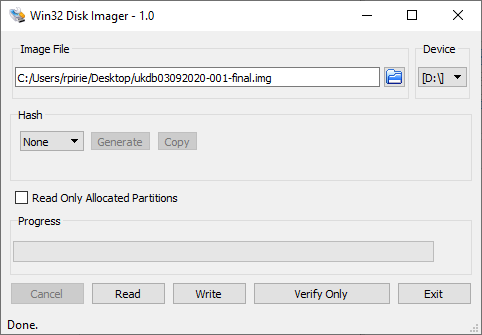
- Download / unzip the SD Card .img file from here.
- Download ‘windiskimager32’ from here.
- Plugin the SD Card into your pc/lap via a Micro SD USB Adapter.
- Open the .img file and select the drive letter of the ‘boot’ drive.
- Press ‘Write’ to flash the SD Card (this can take up to 10min).
- Once complete place the SD card back into the device and reboot. Once rebooted ignore any failed service requests and reboot again.
- Setup the the device WiFi as usual via this guide.